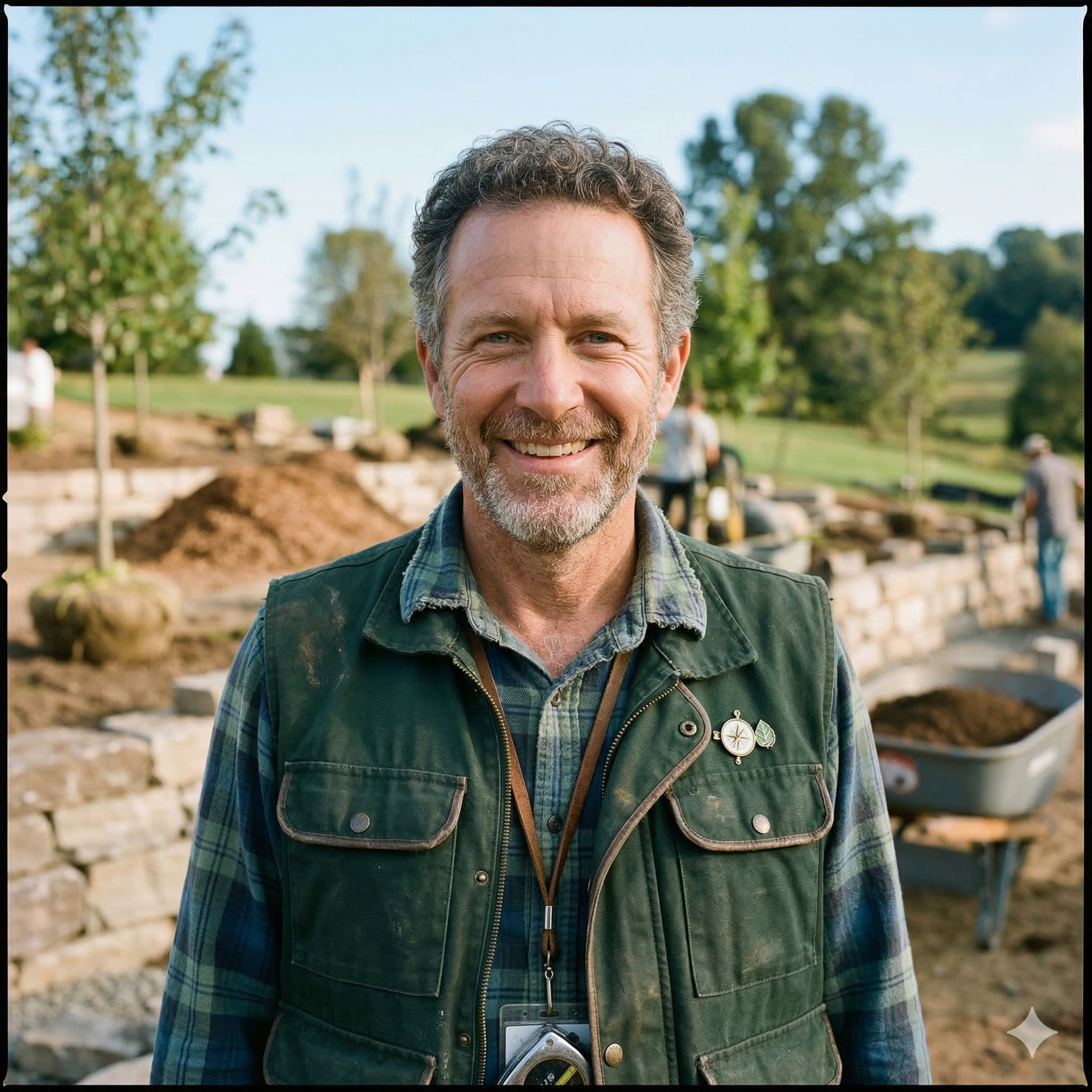
Walk into every client meeting like you never left the site.
What you observe on-site shapes every decision you make in the studio. SiteMarker makes sure none of it gets lost between the two.
Over 3,000 projects managed daily by firms across the country







.png)




Use Cases
Where Landscape Architects use SiteMarker
Schematic Design Verification
Walk the site with your concept drawings loaded as a live underlay. Document what matches, what conflicts, and what needs rethinking, pinned to exact coordinates, before you finalize anything.
Tree Inventories
Tag trees, species, canopy spreads, and health conditions directly on your plan as you walk. Build a complete, geo-referenced tree inventory in the field, not back at the office from scattered notes.
Punch Lists
Walk the site at construction close-out and build your punch list in real time. Every deficiency is pinned to its exact location on the plan, assigned to the responsible contractor, and tracked to completion.
Construction Observation Reports
Document site conditions, contractor work, and design compliance with geo-referenced pins and photos as you walk. Generate a formatted, client-ready report before you leave the property.
Your current reality
You work in two worlds.
Most tools only work in one.
In the Studio
Refining concepts from field notes, sketches, and memory, hoping what you captured was accurate enough to build from.
At the Site
Absorbing real conditions: grades, drainage, sight lines, vegetation. Most of it mentally logged, rarely formally documented.
Back in the Studio
Making decisions from incomplete data, filling gaps with assumptions. That's where rework starts and clients start asking questions.
Every assumption you make back in the studio is a condition you didn't document on-site. With SiteMarker, what you observe is what you design from. Not a best guess reconstructed hours later.
Why the best site observations never make it into the final design.
Great design starts with accurate site data. Most of the time, that data never survives the drive back.
68%
of design changes trace back to stale or inaccurate site conditions: an unplanned site visit and a client call you weren't ready for.
3.5 hrs
per project lost to chasing approvals and follow-up. Hours that should be billable, not spent on hold.
2x
more client revisions when design intent isn't tied to real conditions. Each one is a meeting, a markup, and a week you didn't have.
of all field data is structured, accessible, and usable.
McKinsey & Company, The Next Normal in Construction - the other 96% is lost in photos, texts, and paper.
Landscape architect field documentation, simplified
From the first site visit to final client sign-off, without going back.
From the moment you arrive on-site, SiteMarker is building your presentation. Document conditions as you walk, and leave with everything your client needs to say yes, before you start the drive back.
Capture
Every photo, note, and observation pinned to its exact location as you walk. Back in the studio, nothing is missing and nothing needs guessing.
Annotate
Your design intent is visible, specific, and tied to exactly what you saw on-site. No more hoping the contractor understood. No more clients asking what that photo was supposed to show.
Share
Clients get a report that looks like you spent an hour on it. You spent two minutes, before you left the property.
Approve
Clients see exactly what you saw on-site. Feedback is faster, misunderstandings drop, and you move to approval without an extra site visit.
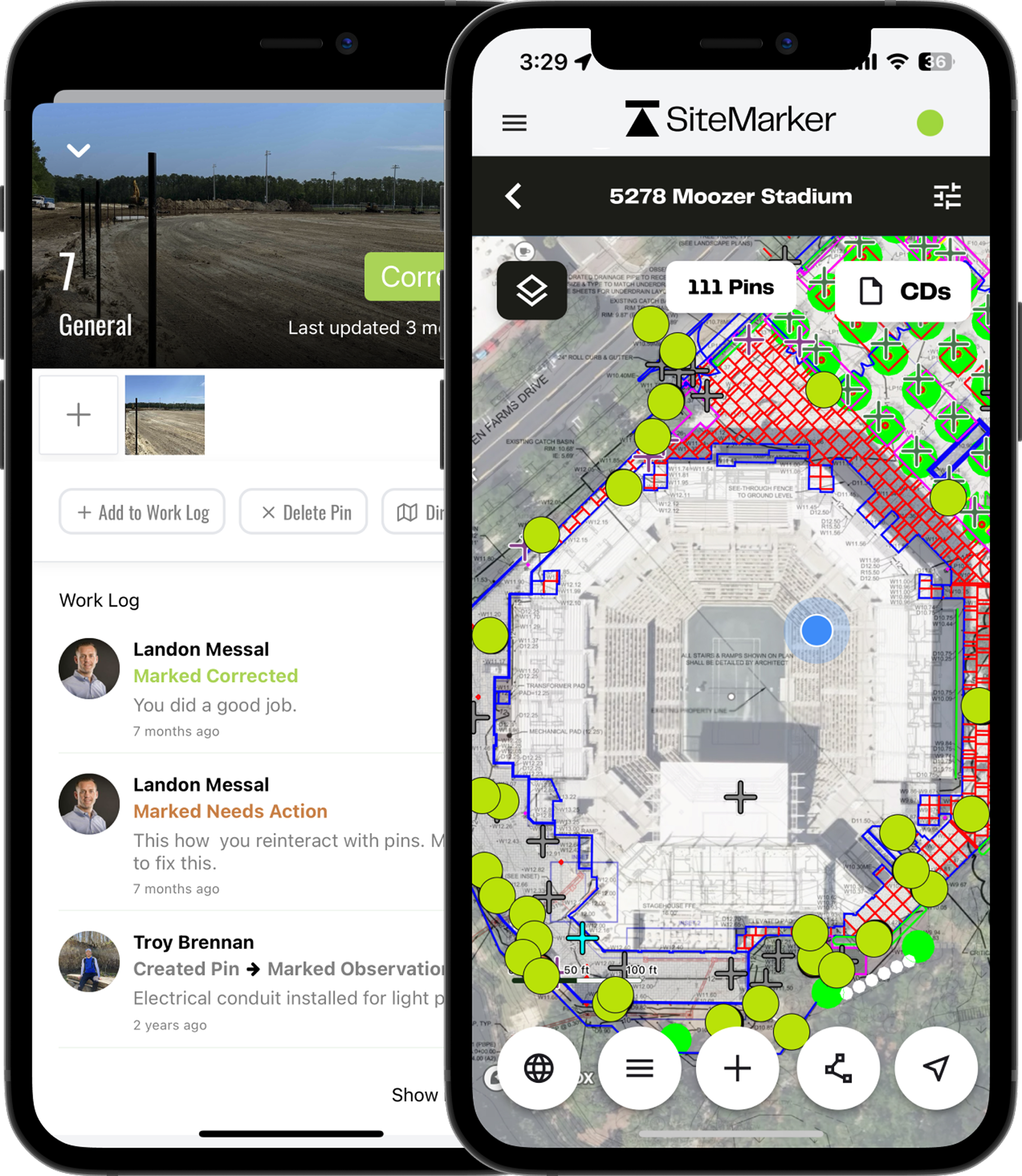
Built for Landscape Architects
Every tool you need between site visit and final presentation.
Plan & GIS Overlay
Import CAD drawings, GIS layers, and georeferenced plan sets as live map underlays. Walk the site with your design already loaded and document conditions exactly where they are, no guessing, no mismatches.
Instant Visual Reports
Turn a two-hour site visit into a polished, photo-forward report before you leave the property. Professionally formatted, geo-referenced, and shareable with one tap. No laptop, no reformatting.
Geo-Tagged Site Documentation
Every photo, note, and condition is pinned to an exact coordinate on your plan. Show up to any client meeting with a spatially accurate, timestamped record, not a best-guess from memory.
Photo Annotation Tools
Draw callouts, sketch overlays, and add design intent directly on top of site photos. Your direction is visible, specific, and impossible to misread by contractors, engineers, or clients.
Tree & Vegetation Logs
Tag trees, species, canopy spreads, and health conditions directly on your plan as you walk the site. Mitigation plans, preservation logs, and tree inventory reports are built into the workflow, not bolted on after.
Cross-Discipline Collaboration
Engineers see what you documented. Contractors see what you intended. Clients see what you envisioned. Everyone works from the same geo-referenced, annotated source of truth, in real time.
“Where has this been all my career? Now having this as a tool is incredible. And I can't believe we used to do it the way we did.”
Samantha Eaton
Landscape Architect, Kimley Horn
Request a Tailored Demo0
Projects Managed Daily.
0
Site Visit Time Saved.
0
Reports Generated.
0
Client Satisfaction.
† SiteMarker platform data, averaged across 3,000+ active projects.
Common questions
Everything Landscape Architects want to know about SiteMarker.
How do Landscape Architects typically document site conditions in the field?+
Most firms rely on a mix of camera roll photos, handwritten notes, and memory, scattered across devices and sketchbooks. By the time that information needs to support a design decision or client presentation, the detail is already lost. SiteMarker replaces that with a geo-referenced, searchable site record built entirely from the field.
How does SiteMarker help Landscape Architects get faster client approvals?+
SiteMarker lets you share photo-forward, geo-tagged site reports with clients directly from the field. Clients see exactly what conditions exist on-site, reducing back-and-forth and cutting the number of revisions before approval.
How does SiteMarker support construction administration visits and observation reports?+
Construction administration is where field documentation becomes most critical and most fragile. SiteMarker lets you document site conditions, flag contractor deviations, and generate geo-referenced observation reports directly from the field. Every finding is timestamped and tied to its exact location on the plan, so when a contractor disputes something or a client questions a decision, you have a complete, verifiable record, not a recollection.
Does SiteMarker support plan overlays and GIS layers for Landscape Architecture projects?+
Yes. Import CAD drawings, GIS layers, and plan sets as live map underlays. Walk the site with your design already loaded and document site conditions against it in real time, so your observations are always anchored to design intent.
What our customers are saying.
From the largest firms in the US to growing regional groups, hear how SiteMarker is transforming the way teams document, report, and collaborate on-site.
How well do you really want to do what you do? How well do you want to look to your clients? SiteMarker is going to give you that opportunity exponentially better.

Donald J.
Construction Adm. Project Manager
SeamonWhiteside
We use SiteMarker to rapidly develop multifamily residential projects, it saves us time and money while increasing the quality of our end product.

Cameron P.
Senior Project Manager
Development Resource Group
It used to take me 3 hours to make a report…with SiteMarker it's ready before I leave the site.

Earl B.
Construction Manager
Lennar
If you took SiteMarker away and asked our team to go back to paper, most of them would probably quit.

Jason Q.
Senior Construction Manager
BJWSA
How well do you really want to do what you do? How well do you want to look to your clients? SiteMarker is going to give you that opportunity exponentially better.
Donald J.
Construction Adm. Project Manager
SeamonWhiteside
We use SiteMarker to rapidly develop multifamily residential projects, it saves us time and money while increasing the quality of our end product.
Cameron P.
Senior Project Manager
Development Resource Group
It used to take me 3 hours to make a report…with SiteMarker it's ready before I leave the site.
Earl B.
Construction Manager
Lennar
If you took SiteMarker away and asked our team to go back to paper, most of them would probably quit.
Jason Q.
Senior Construction Manager
BJWSA