Every project,
clearer than ever.
Sharper documentation. Faster reporting.
Context that actually travels with your work, from the first pin to the final report.
We build clarity into every project
By the Numbers
What teams across the country got done this quarter.
This Quarter's Big Updates
What we shipped.
What it changes for you.
Point to what matters.
Right on the photo.
Photos show everything, but not what specifically matters. Photo Markup lets you draw arrows, circle issues, highlight work areas, and add text notes directly on any site photo. Before you leave the field.
The full story of an issue,
in one tight section.
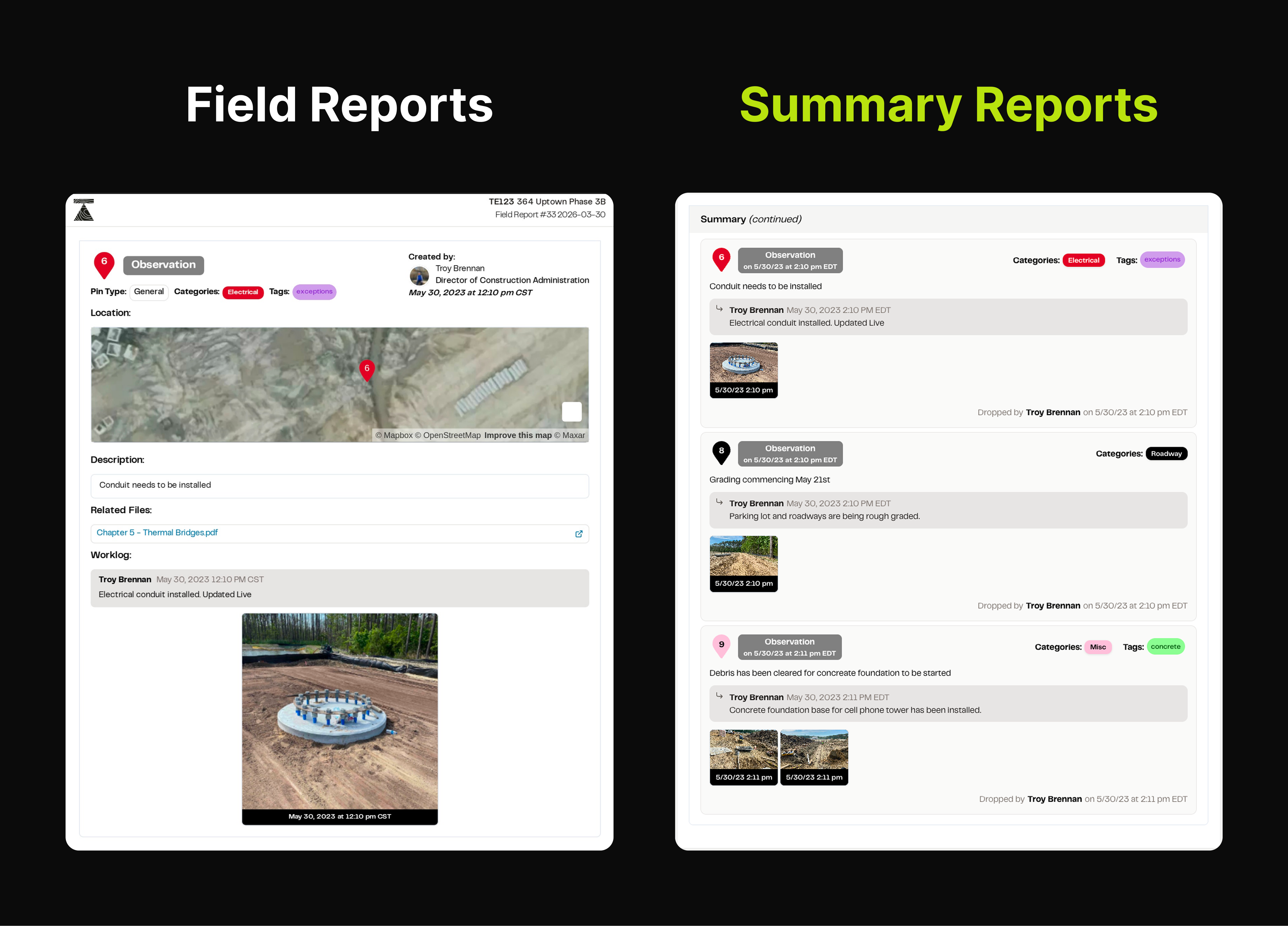
Stakeholders don't always need a full map page per pin. They need the issue story - photos, progress updates, final resolution. Summary Reports give them exactly that.
Your spec sheet.
Right next to your photo.
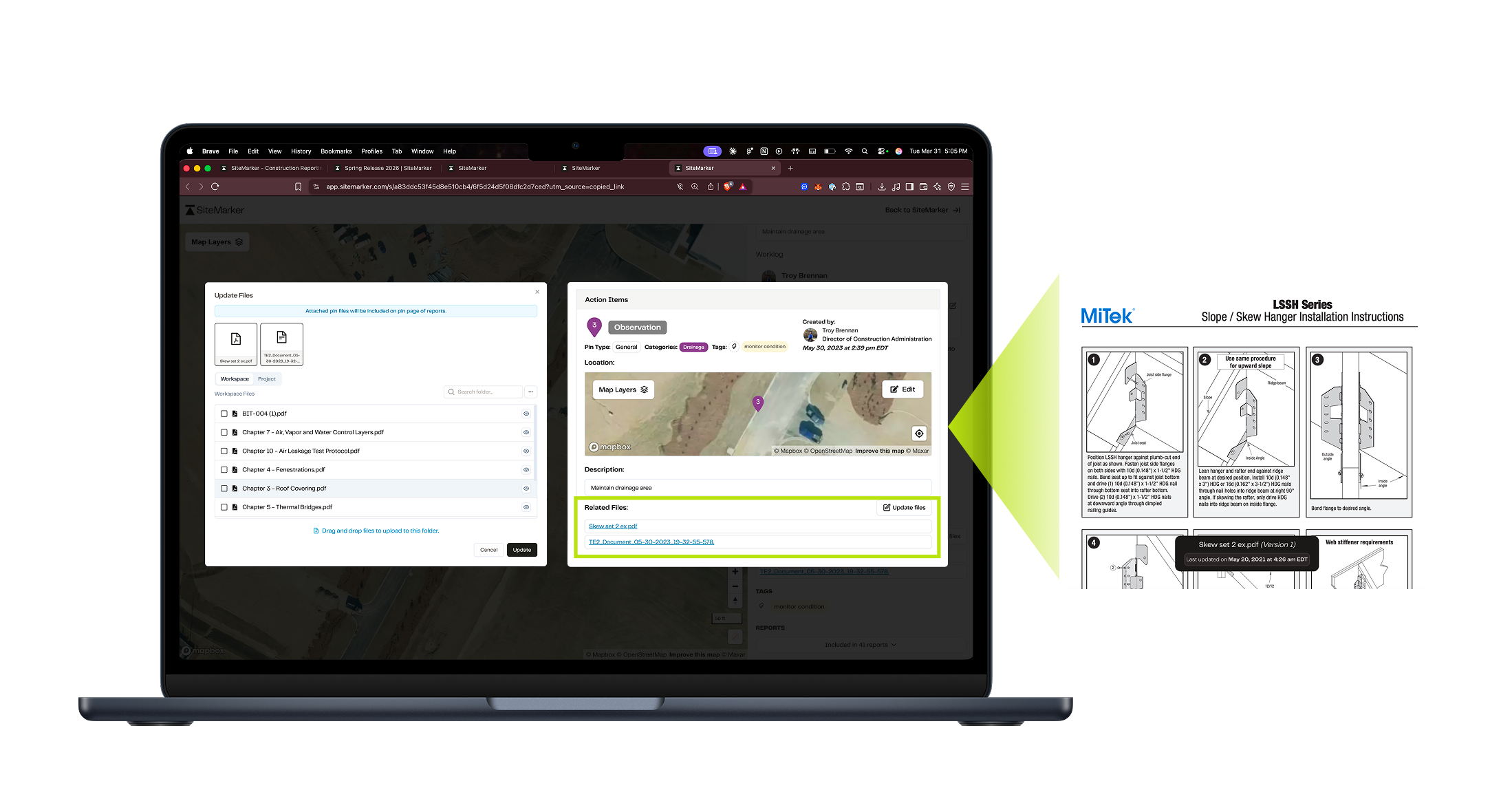
Upload detail sheets, installation guides, and product specs to a shared workspace library. Attach them directly to pins, so the standard and the site evidence are always in the same place.
Under the Hood
The small things that add up.
Not every improvement ships with a product video. These three did the quiet work of cutting friction from your daily reporting flow.
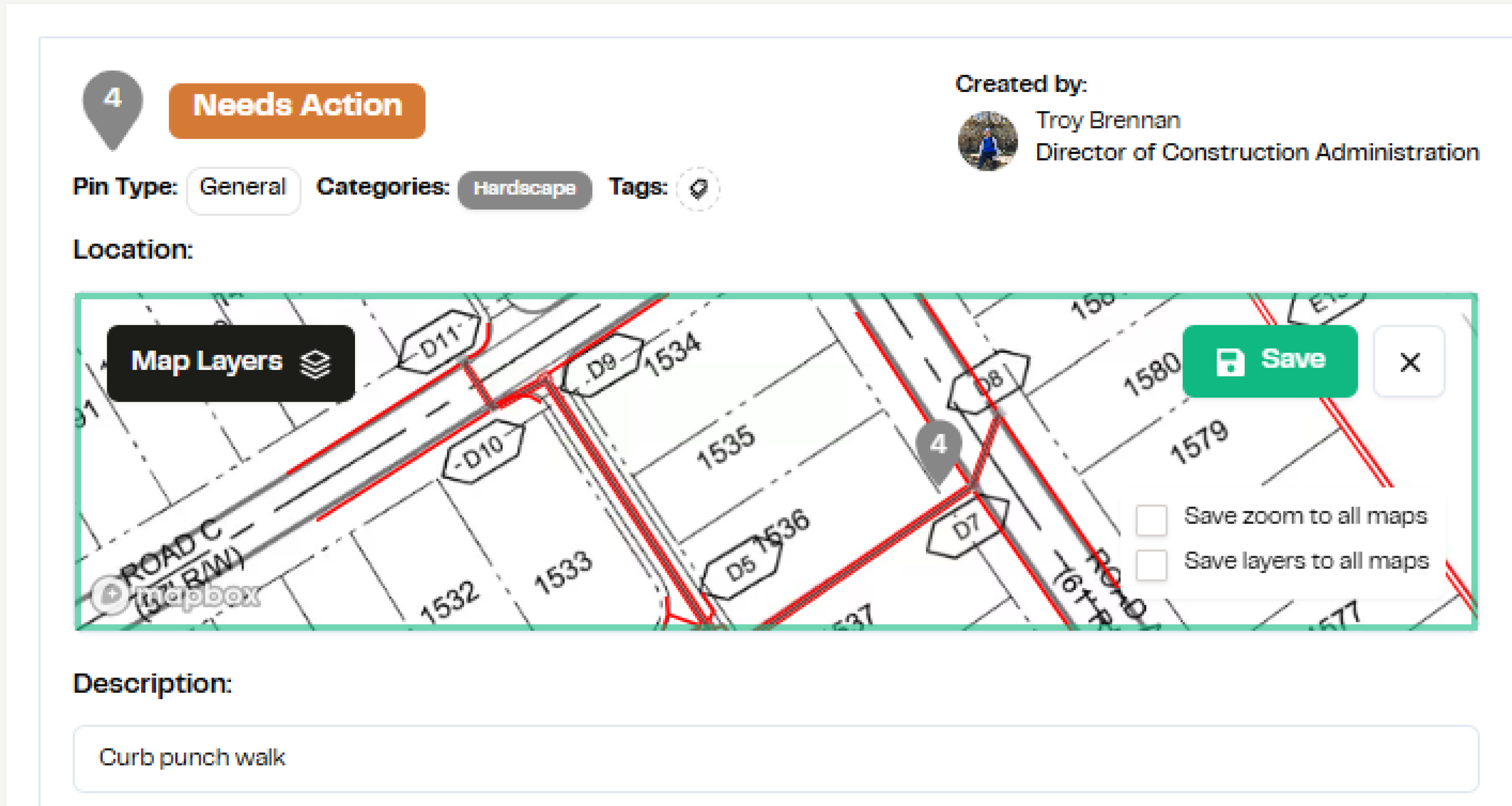
All Pages Zoom + Layer Absorb
Change a zoom level or layer setting on one report page and apply it across all pages at once. No more clicking through every page individually.
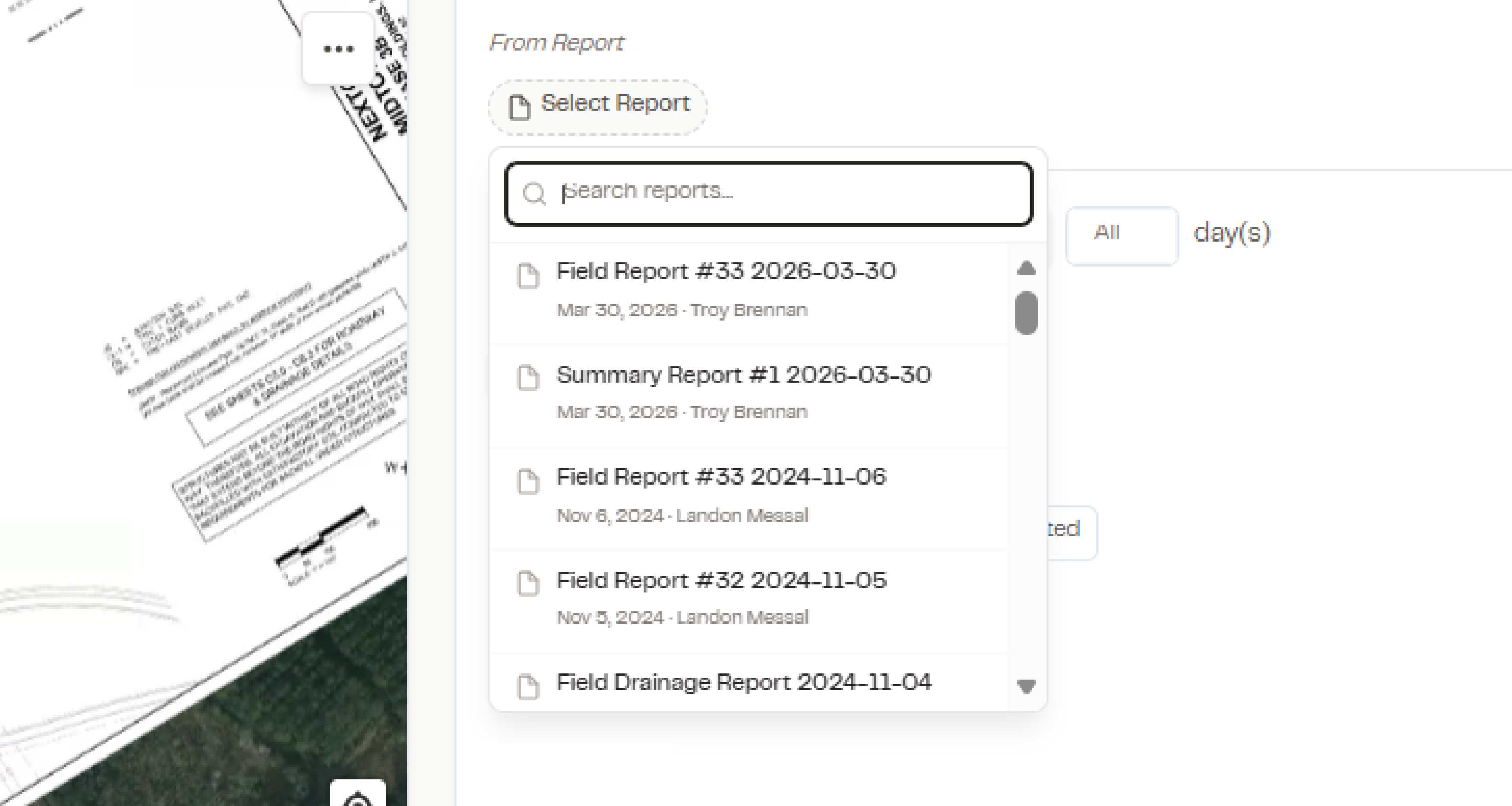
Inherit Report Filter
Filters you set now carry through automatically. Less setup before every export. More consistency across every report you generate.
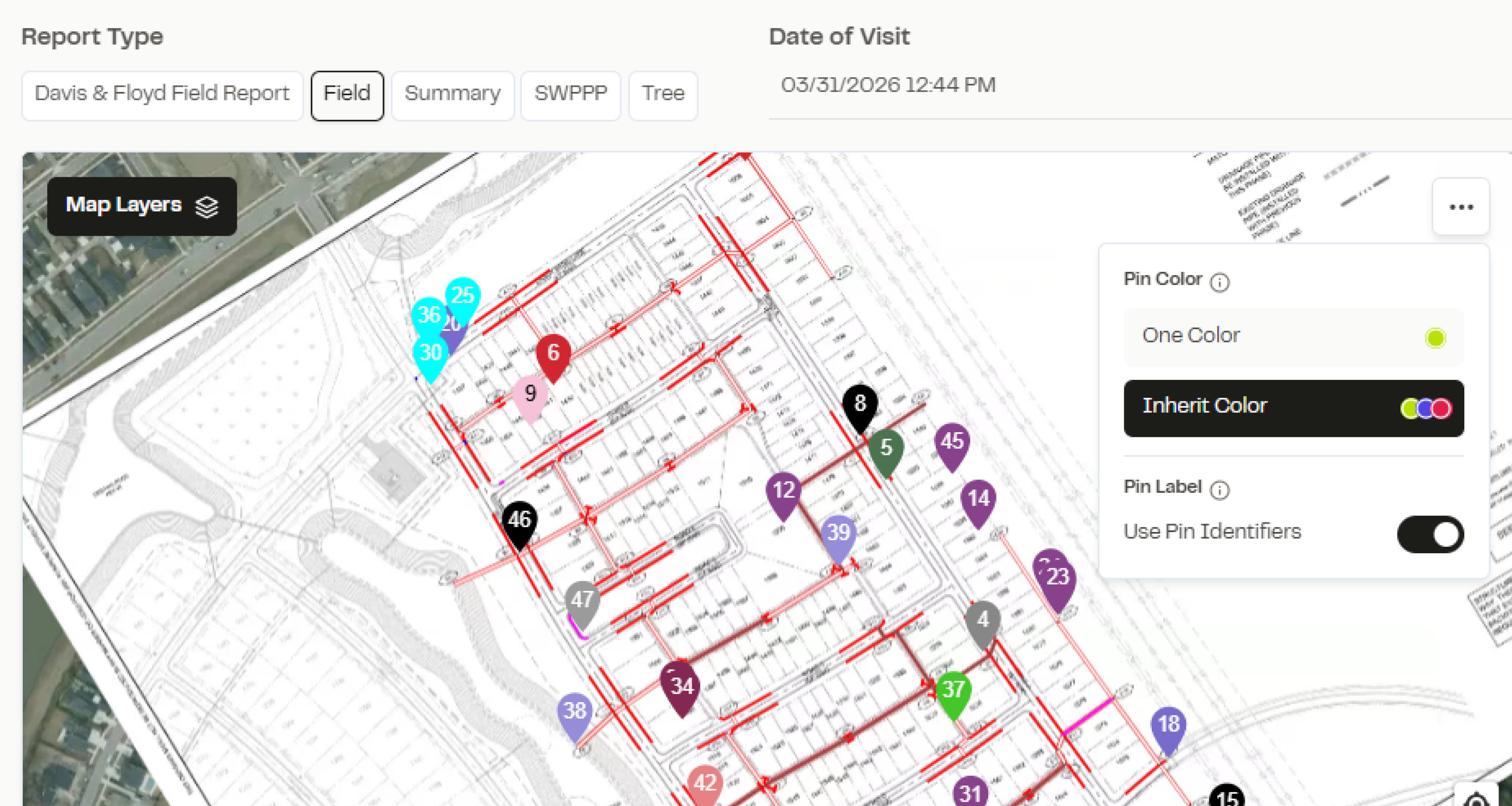
Pin Identifier
Pins now show a single, clean number on your report. No more two-number system. Category colors are absorbed directly onto the pin, so you can scan by type at a glance.
From the Field
Built for people who can't afford
to lose time in the field.
“It used to take me 3 hours to make a report…with SiteMarker it's ready before I leave the site.”

“How well do you really want to do what you do? How well do you want to look to your clients? SiteMarker is going to give you that opportunity exponentially better.”

Spring Release 2026
Your next project deserves this.
Several updates in this release are live in your workspace today. A few are rolling out by request. Reach out to get access.
We build clarity into every project